
Display Integration in Electronics Manufacturing: Design, Assembly, Testing & Procurement Guide
Display integration combines a display module with the electrical, mechanical, optical and software elements required to make it function as part of a finished electronic product.
This guide explains display integration from a practical manufacturing and procurement perspective, including display technologies, touch interfaces, PCB connections, mechanical integration, testing, quality control, supplier qualification and production considerations.
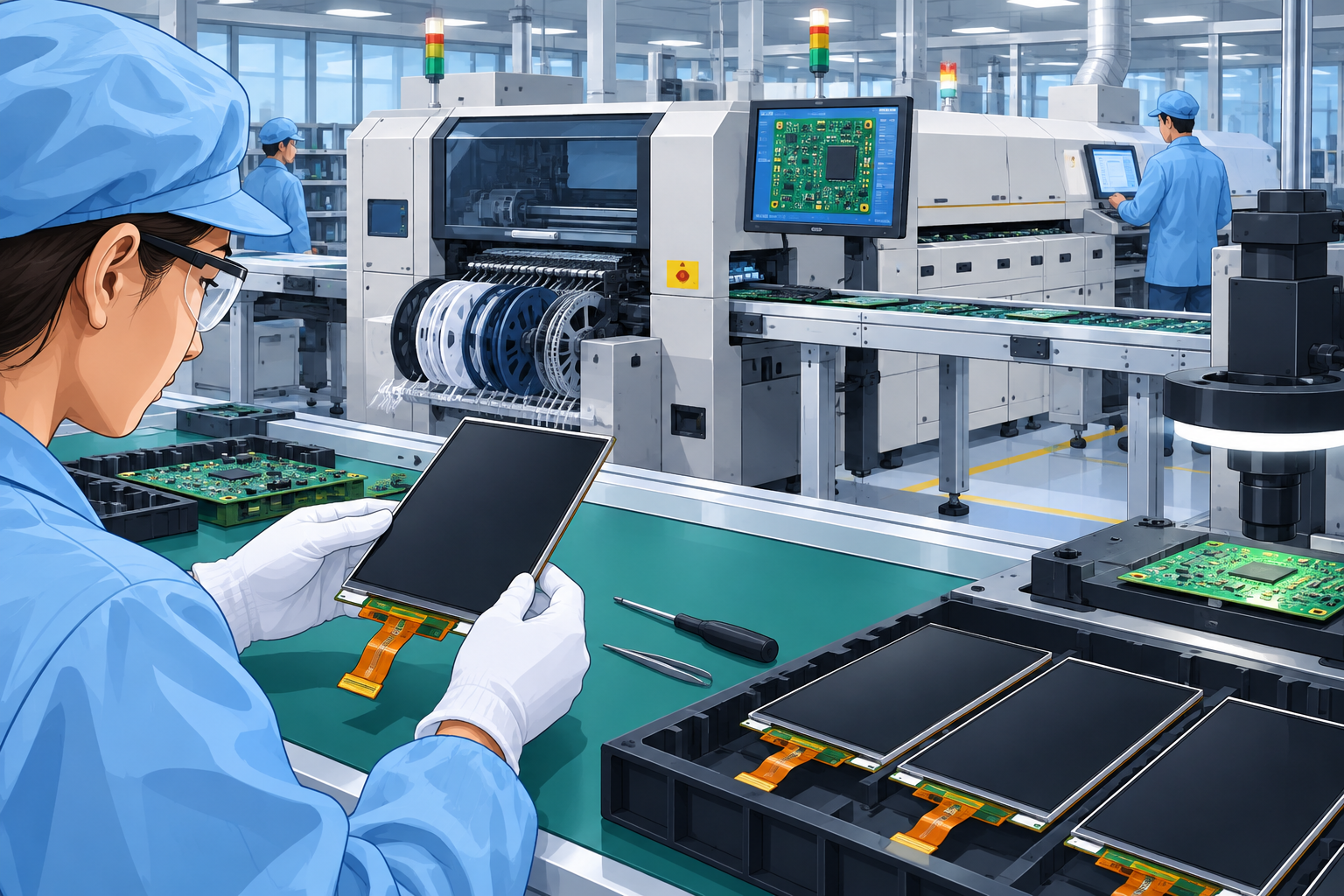
Display integration is not simply the installation of an LCD, TFT or OLED panel. A production-ready display assembly must satisfy electrical, mechanical, optical, environmental and functional requirements simultaneously.
What Is Display Integration?
Display integration is the process of incorporating a display module into an electronic product and connecting it with the product’s electronics, mechanical structure, user interface and control system.
Depending on the application, the integrated assembly can include a TFT LCD, OLED or other display technology, touch sensor, cover lens, bezel, optical layers, FPC or FFC connections, driver electronics, backlight circuitry, mounting hardware, protective sealing and the PCB that controls the display.
The integration approach depends heavily on the application. An industrial HMI may require a rugged touchscreen, high brightness and glove operation. A medical device may require controlled materials, traceability and stringent cleaning requirements. An automotive display may introduce requirements for vibration, temperature cycling, optical performance and long-term component availability.
Where Display Integration Is Used
Industrial HMIs
Operator panels, machine interfaces, PLC displays, process control systems and industrial automation equipment.
Medical Electronics
Diagnostic equipment, monitoring systems and patient-facing interfaces where reliability, cleanability and traceability can be important.
Automotive Electronics
Instrument clusters, infotainment interfaces, control displays and other vehicle electronic systems.
Robotics
Robot controllers, mobile robots, autonomous equipment and service robotics interfaces.
Consumer Electronics
Control panels, handheld products, smart appliances and connected electronic devices.
Test & Measurement
Instrumentation, laboratory equipment, meters, controllers and data acquisition equipment.
How Display Integration Works
A display system normally passes through several interfaces between the user’s interaction and the visual output. Integration engineering connects these interfaces into one manufacturable assembly.
Touch, buttons, encoder or another input device generates an instruction.
A processor or display controller processes commands and generates display data.
Data travels through an appropriate electrical interface such as MIPI, LVDS, RGB or SPI.
The display electronics drive the panel and produce the required image.
The physical integration adds another layer. The display must be positioned accurately within the housing, connected without damaging the FPC or connector, supported against vibration and protected from environmental exposure where required.
Key Components, Materials & Technologies
| Element | Function | Manufacturing Considerations |
|---|---|---|
| TFT LCD | Produces the graphical image using liquid crystal technology and a backlight. | Brightness, viewing angle, temperature range, resolution and long-term availability. |
| OLED | Produces light directly from organic electroluminescent pixels. | Lifetime, brightness, burn-in behaviour, environmental conditions and cost. |
| Touch Sensor | Detects user interaction on the display. | Sensor alignment, sensitivity, controller compatibility and cover-lens construction. |
| Cover Lens | Protects the display and provides the external touch surface. | Glass or polymer selection, thickness, surface treatment and edge design. |
| FPC / FFC | Provides electrical connection between display electronics and the PCB. | Bend radius, connector retention, routing, insertion and handling. |
| Display Driver | Converts controller data into signals required by the display. | Interface compatibility, thermal behaviour, firmware and component lifecycle. |
| Backlight | Provides illumination for transmissive LCD displays. | Brightness uniformity, thermal management, power consumption and optical stack-up. |
Display Integration Manufacturing Process
The exact manufacturing sequence varies according to whether the supplier is integrating a purchased display module into a product or manufacturing a more complete display assembly. A typical workflow can include the following operations.
Verify display part number, revision, quantity, physical condition and required documentation.
SMT or through-hole components are assembled onto the controller or main PCB.
Solder joints are produced using reflow, selective soldering or other appropriate processes.
SPI, AOI, visual inspection or X-ray may be applied according to assembly complexity.
FPC, FFC, board-to-board or cable connections are installed and secured.
Display, bezel, lens, seals and housing are assembled using controlled fixtures where necessary.
Firmware, display parameters or configuration data are loaded where required.
The completed assembly is powered and checked for image quality, touch response and system operation.
Display Integration Design Considerations
Mechanical Design
- Define display mounting datums.
- Control bezel and cover-lens tolerances.
- Allow adequate clearance around FPCs and connectors.
- Prevent local stress on the display glass.
- Account for thermal expansion.
- Consider vibration and shock requirements.
- Define assembly access and serviceability.
Electrical Design
- Confirm display interface compatibility.
- Verify operating voltage and current.
- Define connector type and pin assignment.
- Consider signal integrity for high-speed interfaces.
- Provide appropriate power sequencing.
- Control EMI and grounding.
- Verify backlight driver requirements.
Optical Design
- Brightness and contrast.
- Viewing angle.
- Ambient light conditions.
- Surface reflection and glare.
- Cover-lens optical characteristics.
- Touch sensor performance.
- Display uniformity.
Environmental Design
- Operating and storage temperature.
- Humidity exposure.
- Vibration and mechanical shock.
- Ingress protection where applicable.
- UV exposure where relevant.
- Cleaning chemicals and surface compatibility.
- Long-term component availability.
Manufacturing Considerations
A display design can function correctly in a prototype and still create production problems. Design for Manufacturing (DFM) and Design for Assembly (DFA) should therefore be considered before production tooling and supplier release.
Assembly Access
Connectors and fasteners should be accessible during assembly without excessive bending or handling of delicate display components.
Alignment
Display-to-bezel and touchscreen-to-display alignment should be defined using appropriate datums and controlled tolerances.
Process Capability
Critical dimensions should be evaluated against the supplier’s actual process capability rather than relying only on nominal drawing dimensions.
Testability
Test points, programming interfaces and functional test access should be incorporated into the design where appropriate.
Component Availability
Displays, driver ICs, connectors and touch controllers can have different lifecycle risks and should be assessed together.
Production Handling
Define ESD controls, protective films, packaging and handling methods for glass and other sensitive parts.
Display Integration Procurement Considerations
Display procurement should cover more than the unit price of the panel. The buyer needs to understand the complete configuration, lifecycle, assembly requirements and test responsibility.
| Procurement Factor | What to Evaluate |
|---|---|
| MOQ | Determine minimum order quantities for displays, touch panels, PCBs and custom mechanical parts. |
| Lead Time | Separate standard component lead time from custom display, tooling and assembly lead time. |
| BOM Management | Identify display, connector, driver IC, PCB, cable, mechanical and packaging components. |
| Alternate Components | Define approved alternates before production rather than making substitutions informally. |
| Obsolescence | Assess display lifecycle, PCN/EOL policies and long-term availability. |
| Supplier Qualification | Review quality systems, manufacturing capability, process controls and relevant certifications. |
| Traceability | Establish lot, date-code, component and production traceability appropriate to the application. |
| Testing | Confirm who performs electrical, optical, touch and final functional testing. |
| Logistics | Define packaging, Incoterms, shipment frequency, export documentation and delivery responsibility. |
Display Integration Supplier Qualification Checklist
Before awarding production, buyers should verify that the supplier can control both electronics assembly and the mechanical and optical aspects of display integration.
Technical Capability
- Experience with relevant display technologies.
- SMT and PCB assembly capability.
- FPC/FFC handling capability.
- Touchscreen integration capability.
- Mechanical assembly capability.
- Programming and functional testing.
- Engineering change management.
Quality & Operations
- Documented quality management system.
- Incoming inspection process.
- AOI/SPI capability where applicable.
- ESD controls.
- Traceability system.
- Calibration system.
- Corrective action process.
Display Integration Quality Control & Testing
Testing should reflect the actual failure modes of the display assembly. PCB inspection alone is insufficient because a display can have correct solder joints and still fail due to optical, mechanical, touch or interface problems.
Incoming Inspection
Verify part number, revision, quantity, physical damage, connector condition and relevant supplier documentation.
SPI
Solder Paste Inspection can identify paste deposition problems before component placement and reflow.
AOI
Automated Optical Inspection can identify component placement and solder-related PCB assembly defects.
X-Ray Inspection
Useful where hidden solder joints or packages require internal inspection.
Functional Testing
Verify power-up, image generation, display interface, touch response and application-level operation.
Visual & Optical Inspection
Inspect pixels, brightness, uniformity, scratches, contamination, alignment and cosmetic defects according to defined acceptance criteria.
Common Display Integration Problems
| Problem | Possible Cause | Detection Method | Corrective Action |
|---|---|---|---|
| No display output | Incorrect interface, power sequencing, connector problem or firmware configuration. | Functional test, electrical measurement and interface diagnostics. | Verify wiring, pin assignment, voltage, initialization sequence and firmware. |
| Intermittent display | Loose connector, damaged FPC, poor contact or mechanical stress. | Functional test, vibration test and visual inspection. | Improve connector retention, routing and assembly controls. |
| Uneven brightness | Backlight variation, optical stack-up, mechanical pressure or panel variation. | Optical inspection and brightness measurement. | Review panel specification, optical stack and mechanical support. |
| Touch response failure | Sensor damage, controller mismatch, grounding issue or poor alignment. | Touch functional test. | Verify sensor/controller combination, grounding and mechanical alignment. |
| Display damage during assembly | Excessive force, incorrect fixture, poor clearance or inadequate handling. | Visual inspection and functional testing. | Improve fixture design, assembly sequence and operator controls. |
| Cosmetic defects | Scratches, contamination, fingerprints, particles or damaged protective surfaces. | Controlled visual inspection. | Improve clean handling, packaging and inspection criteria. |
| Communication errors | Signal integrity, incorrect configuration, grounding or cable routing problems. | Functional test and electrical diagnostics. | Review interface design, routing, grounding and software configuration. |
Display Integration Cost Drivers
The cost of an integrated display assembly depends on the display itself as well as electronics, mechanical components, assembly complexity, testing and production volume.
Display Technology
Size, resolution, brightness, touch capability, viewing angle and technology influence panel cost.
Electronics BOM
Controller ICs, connectors, PCBs, power circuits, drivers and other electronic components contribute to total cost.
Mechanical Parts
Bezels, housings, brackets, seals and machined or molded parts add material and assembly costs.
Assembly Complexity
Manual alignment, bonding, cabling and special fixtures can significantly influence labour and cycle time.
Testing
Automated test equipment, fixtures, programming and optical inspection affect both initial and recurring costs.
Volume
Higher production volumes can justify tooling, automation and optimized procurement strategies.
Prototype vs Low Volume vs Mass Production
| Factor | Prototype | Low Volume | Mass Production |
|---|---|---|---|
| Assembly | Mostly manual | Controlled manual / semi-automated | Highly optimized production process |
| Fixtures | Basic or temporary | Dedicated fixtures where justified | Production-grade fixtures and automation |
| Testing | Engineering validation | Defined production testing | Automated testing where economically justified |
| Component Strategy | Availability-driven | Cost and availability balanced | Long-term supply and lifecycle planning |
| Quality Control | High engineering involvement | Documented inspection plans | Statistical/process-driven controls |
Procuring Display Integration from India
India can support electronics procurement through a combination of PCB assembly, mechanical manufacturing, cable assembly, final assembly, testing and supplier management capabilities. However, buyers should evaluate the complete supply chain rather than selecting a supplier based only on an assembly quotation.
Supplier Selection
- Verify actual manufacturing capability.
- Review relevant customer references where available.
- Audit production and quality systems.
- Review equipment and test infrastructure.
- Assess engineering support.
- Confirm capacity for forecast volumes.
Documentation & Communication
- Controlled drawings and BOM revisions.
- Approved component list.
- Inspection standards.
- Packaging specifications.
- Change notification process.
- Clear escalation and reporting structure.
Export & Logistics
For international shipments, buyers should define the commercial terms, export documentation, packaging, shipment frequency, customs responsibilities and destination requirements before production begins.
Display assemblies should receive particular attention during packaging because glass panels, connectors and cosmetic surfaces can be damaged during handling and transportation.
Supplier Development
For technically complex products, the Indian supplier may need support during the initial production phase. Engineering reviews, first article inspection, process validation and corrective action tracking can reduce the risk of transferring directly from prototype to regular production.
Practical Buyer Checklist Before an RFQ
- Is the exact display manufacturer and part number defined?
- Is the display interface and connector configuration documented?
- Are mechanical drawings and mounting requirements available?
- Is the touch interface included in the scope?
- Are brightness, resolution and optical requirements defined?
- Are operating temperature and environmental requirements specified?
- Is the complete electronics BOM available?
- Are approved alternates identified?
- Is the required test specification documented?
- Are firmware/programming responsibilities clearly assigned?
- Are packaging and export requirements defined?
- Are forecast volumes and production ramp assumptions available?
Frequently Asked Questions About Display Integration
What does display integration mean in electronics manufacturing?
Display integration means incorporating a display into an electronic product and connecting the display with its PCB, controller, touch interface, mechanical structure, firmware and other required subsystems.
Is display integration the same as display assembly?
Not necessarily. Display assembly can refer to the physical construction of a display module, while display integration generally refers to incorporating that module into a larger electronic product or system.
Which display technologies can be integrated?
Common technologies include TFT LCD and OLED. The appropriate choice depends on resolution, brightness, viewing conditions, power consumption, lifetime, environmental requirements and product cost.
What interfaces are commonly used for displays?
Depending on the display and application, interfaces can include MIPI DSI, LVDS, RGB, SPI and other proprietary or application-specific interfaces.
Should display integration include touchscreen assembly?
It can. If the product requires touch functionality, the scope may include the touch sensor, controller, cover lens, bonding and associated electronics.
What testing is required for an integrated display?
Typical testing can include power-up verification, image generation, interface communication, touch response, optical inspection and final functional testing. The exact test plan depends on the product.
What are the main display integration manufacturing risks?
Common risks include connector damage, FPC handling problems, display alignment, cosmetic damage, optical variation, touch failures, incorrect configuration and component lifecycle issues.
How should display suppliers be qualified?
Buyers should evaluate technical capability, quality systems, inspection and test capability, traceability, engineering support, production capacity, component management and change-control processes.
Can display integration be outsourced to an electronics manufacturer?
Yes. An electronics manufacturing partner can potentially manage PCB assembly, display connection, mechanical assembly, programming and functional testing when the supplier has the required capabilities.
What information should be included in a display integration RFQ?
An RFQ should normally include drawings, BOM, display part numbers, interface specifications, assembly requirements, test requirements, quality expectations, annual or batch volumes, packaging requirements and delivery terms.
Related Manufyn Resources
Display integration often sits between electronics assembly, mechanical manufacturing, system integration and procurement. The following resources provide useful adjacent knowledge.
Electronics Manufacturing Knowledge Hub
Explore electronics manufacturing, assembly and procurement topics.
Electronics System Integration
Understand how electronics subsystems are combined into complete products.
Box-Build Manufacturing
Learn about complete electronics product assembly, wiring, testing and integration.
Electronics Enclosure Assembly
Explore mechanical integration of electronics, housings and assemblies.
CNC Machining Knowledge Hub
Useful for machined bezels, brackets, housings and mechanical display components.
India Purchasing Office
Learn about managing procurement and supplier coordination from India.
Electronics Procurement Support from India
Manufyn India Private Limited can support international buyers that need to identify, evaluate and manage Indian suppliers for electronics manufacturing and associated mechanical components.
Depending on the project scope, support can cover supplier identification, RFQ management, commercial comparison, supplier qualification, quality coordination, production follow-up, inspection coordination and logistics coordination.
Supplier Identification
Identify Indian suppliers based on manufacturing process, product requirements and production volume.
Supplier Qualification
Coordinate technical evaluation, documentation reviews and supplier audits.
RFQ Management
Coordinate RFQs, clarify technical requirements and consolidate supplier quotations.
Quality Coordination
Support inspection planning, quality communication, nonconformance follow-up and corrective actions.
Production Follow-Up
Coordinate production status, delivery milestones and supplier communication.
Logistics Coordination
Support shipment planning, packaging coordination and communication between Indian suppliers and overseas buyers.
Evaluating Electronics Manufacturing in India?
If you are developing or procuring a product that requires display integration, PCB assembly, mechanical integration or complete electronics manufacturing, define the technical requirements first and then evaluate suppliers against the required processes, quality controls and production volumes.
Discuss Your Electronics Procurement Requirement