Manufyn helps prototypes machine right the first time.
Designing a CNC prototype isn’t just about exporting a STEP file — it’s about making sure that the part is actually machinable before it goes to the shop floor. Most prototype failures don’t happen during machining; they happen during CAD design because nobody checked geometry, tool access, wall strength, or fixturing constraints early enough. That’s why engineering teams use a structured cnc prototype design checklist to validate decisions before programming, tooling, or fixturing begins.
This checklist acts as a safeguard for product developers, OEMs, and mechanical engineers who need prototypes to work the first time — not after three rounds of revisions. It helps prevent tolerance conflicts, unreachable toolpaths, sharp internal corners that end mills can’t cut, threads that can’t be formed, and materials that deform under clamp pressure. In short, it protects both the design and the budget.
Whether you’re building a proof-of-concept prototype, a functional demo, or an assembly-ready pre-production unit, following a cnc prototype design checklist ensures the part can be held, cut, finished, and assembled without rework. This is where effective prototyping stops being trial-and-error and starts becoming a reliable engineering workflow.

CNC Prototype Design Checklist – Why It’s Needed Before Machining
A CNC prototype is only as good as its design. The majority of manufacturing failures don’t happen at the machine — they happen at the CAD stage. When geometry, wall thickness, tolerances, or tool access aren’t planned early, the result is redesigns, scrap, and cost that should have never been spent.
This is why having a cnc prototype design checklist before sending files to a supplier is critical. It forces the designer to validate geometry, material, tolerance behavior, and workholding feasibility before machining begins. This doesn’t just reduce mistakes — it protects your budget, timeline, and prototype intent.
Teams rely on this checklist to:
- Avoid redesign loops after CAM programming
- Ensure toolpaths can physically reach features
- Prevent tolerance conflicts between mating parts
- Choose materials that won’t deform, warp, or crack
- Confirm parts can actually be fixtured and held properly
- Reduce troubleshooting during machining
In short: the checklist isn’t homework — it’s insurance.
The cnc prototype design checklist acts as a pre-machining filter, protecting the project from mistakes that are impossible to fix later without redesign.
Not sure if your prototype is machinable?
Send your CAD file — we’ll check geometry, material, threads, and tool access before manufacturing.
Confirm Machinability Before You Design (Not After)
Most prototype failures happen because teams design what they want, not what a CNC tool can reach. The first step of the cnc prototype design checklist is confirming machinability — not at handoff, but at the moment of design.
Machinability Checkpoints
- Internal radii must match tool diameter (no zero-radius pockets)
- Wall thickness must support tool pressure (avoid flex + vibration)
- Avoid deep cavities with no chip evacuation path
- Undercuts require side access, 4th axis, or redesign
- Sharp corners → replace with fillets for cutter entry
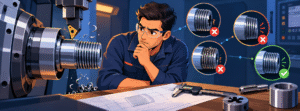
- Check if threads near edges can actually be formed
- Ensure at least one real fixturing surface exists
If even one of these fails, the part may be “design-perfect but machining-impossible.”
Most Common Red Flags Engineers Miss
- CAD surfaces that cannot be clamped without damage
- Threaded features too close to corners
- Sharp valleys that require EDM (not CNC)
- Pockets deeper than 4X cutter length
- Features placed where end mills cannot enter
This stage alone can save 40–70% of redesign cost.
Machinability validation is the first checkpoint in the cnc prototype design checklist because it determines whether the part is ready for CAM or still needs modification.
Want us to review your geometry before machining?
We’ll highlight toolpath conflicts, unreachable areas, and design changes needed to manufacture successfully.
Material Selection Checklist for CNC Prototypes
Material choice decides more than strength — it decides machinability, tolerance stability, heat behavior, finish quality, and whether the prototype survives assembly. Before sending a design for machining, validate the material against your requirements.
Material Decision Checklist
- Is the material stable enough for the tolerance you’re calling out?
- Does it deform, warp, or chip under tool pressure?
- Will clamp force damage the surface? (Especially plastics)
- Does the prototype need clarity, strength, or conductivity?
- Will the part later scale to metal, or stay in plastic?
Material Shortlist for CNC Prototyping
| End Requirement | Recommended Material |
|---|---|
| Lightweight + durable | Aluminum 6061 / 7075 |
| Structural + rigid | Stainless Steel 304 / 316L |
| Wear resistance + low friction | Delrin (POM) / Nylon |
| Optical clarity | Acrylic (PMMA) / Polycarbonate (PC) |
| Heat or load endurance | Titanium or Engineering-grade metals |
Correct material choice is step two of the cnc prototype design checklist because it dictates tool geometry, feed rates, finishing strategy, and whether the part holds dimension after machining.
Unsure which material fits your prototype?
Share your CAD + application → we’ll recommend the right material before machining.
Wall Thickness, Ribs & Support Rules
Wall thickness has more impact on prototype success than any other factor. If the walls flex, the tool chatters. If the support structure is weak, the part warps. This is the failure point most designers overlook — and the reason prototypes scrap out.
Thickness Guidelines for CNC Machining
| Material | Minimum Wall Thickness | Notes |
|---|---|---|
| Aluminum | 1.0–1.5 mm | Thinner is possible but risky without ribbing |
| Stainless Steel | 1.2–2.0 mm | Needs rigidity; avoid tall unsupported walls |
| Delrin / Nylon | 1.5–2.5 mm | Soft material; flex risk under tool load |
| Acrylic / PC | 2.0 mm+ | Prevent cracking & finish loss |
| Titanium | 1.2–1.8 mm | Heat + pressure sensitivity, clamps matter |
Design Rules for Stability
- Add ribs instead of thickening walls → reduces warp & mass
- Avoid tall columns without lateral support
- Keep threads away from thin edges
- Add radii at internal corners (no “knife” corners)
- Avoid deep pockets exceeding 4x tool diameter unless necessary
If walls are too thin or tall, even the perfect toolpath cannot save the part.
This is where the geometry needs revision before machining — not after failure.
Thin wall errors are the #1 issue flagged during a CNC prototype design checklist review because they directly affect workholding, tool reach, and tolerance stability.

Tolerance Planning & GD&T Realism
Most CNC prototype failures don’t come from “bad machining” — they come from tolerance requests that don’t match material, tool access, or wall strength. Overly tight tolerances increase cost, machining time, finishing difficulty, and reject rate. A prototype should validate function first, not chase production-level tolerances immediately.
Tolerance Reality Checkpoints
- Does every tolerance need to be tight, or only critical ones?
- Are cosmetic areas being dimensioned like mating features?
- Would changing ±0.02mm to ±0.05mm still meet the requirement?
- Are thin walls or flexible materials contradicting tolerance goals?
- Have we separated functional datums from reference datums?
Tolerance Priority Breakdown
| Category | Purpose | How to Dimension It |
|---|---|---|
| Critical Function | Mating surfaces, shafts, fitment zones | Tight (±0.01–0.03 mm) |
| Assembly Alignment | Bolt patterns, guides, slide fits | Moderate (±0.05–0.10 mm) |
| Cosmetic & Non-Load Areas | External surfaces that don’t interact mechanically | Loose (±0.10–0.25 mm) |
A tolerance audit is a mandatory step in the CNC prototype design checklist because it protects the part from unnecessary machining complexity and prevents budget inflation.
Need help calibrating tolerances so you don’t overspend?
Share your drawing — we’ll flag where tolerance is critical vs optional.
Tool Access, Threads & Feature Feasibility
Every tool has a shape, and every shape has limits. Designing a feature that a cutter can’t physically reach guarantees machining failure — no matter how perfect the CAD looks. This section ensures toolpaths are physically possible before investment.
Tool Access Checklist
- Are there internal features that require smaller tools than practical?
- Are deep pockets creating tool deflection & chatter risk?
- Are there undercuts that require 4th or 5th-axis
- Are threads too close to edges to hold under torque?
- Are recesses blocking the cutter from entering?
Thread & Fastener Rules
- Avoid threads at edge proximity → risk of breakout
- Choose standard thread sizes available in your geography
- For plastics → use inserts, not direct threading
- For metals → check depth-to-diameter ratio before locking design
- Don’t place threads in unsupported thin walls
Feasible vs Not Feasible
| Feature | Good | Risky |
|---|---|---|
| Pocket with radius matching tool | Feasible | Zero-radius internal corners |
| Threads with edge spacing & relief | Feasible | Threads in thin unsupported edge |
| Shallow undercut with side access | Feasible | Undercut blocked by fixture or walls |
| Standard drill sizes | Feasible | Custom micro-sizes unavailable in tooling |
Tool and thread feasibility is a checkpoint in every CNC prototype design checklist because it determines whether the design can be machined cleanly or requires redesign.
Workholding Awareness & Clamp-Safe Design
A CNC prototype isn’t just designed to be machined — it must be designed to be held. If a part can’t be clamped without distortion, slipping, tool interference, or marking, it will fail regardless of CAM or cutter choice. Workholding is where many “perfect CAD” models fall apart.
Clamp-Safe Design Questions
- Is there at least one flat, non-critical surface dedicated for clamping?
Will clamp direction oppose tool pressure or fight against it?
Are cosmetic surfaces being clamped accidentally?
Will jaws, soft pads, or vacuum work better than rigid vice clamping?
Can the part rotate or flip without losing datum?
Design Rules for Workholding Efficiency
- Add a sacrificial pad or grip zone when needed (remove later)
- Avoid locating datums on cosmetic surfaces
- Keep critical faces away from clamp direction
- Maintain enough material for jaw contact — don’t design right to the edge
- If toolpaths need 360° reach → design for 4th or 5th-axis clearance
Workholding compatibility is a required checkpoint in a CNC prototype design checklist, because fixturing determines whether the part stays dimensionally accurate throughout machining.
Surfacing, Assembly Fit & Final Pre-Machining Review
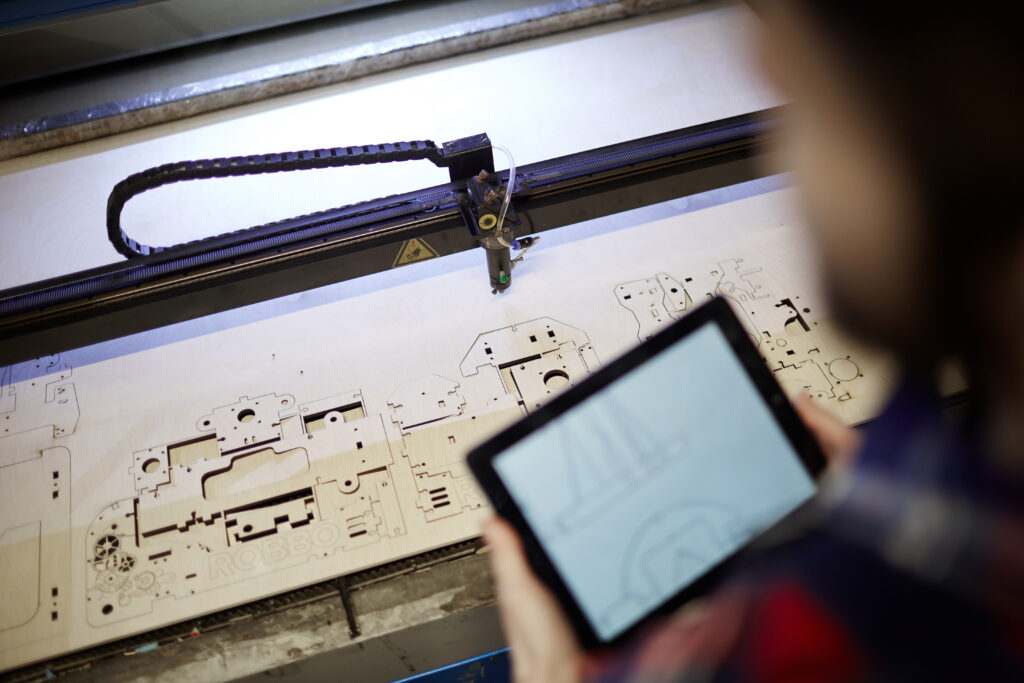
The prototype is only successful if it assembles cleanly. Surface finish, edge quality, thread depth, and mating tolerances must be engineered before machining begins — not discovered in the inspection stage. This is where engineering confidence replaces guesswork.
Surface Prep & Finish Expectations
| Finish Requirement | Consideration |
|---|---|
| Machined finish | Accept visible toolpath patterns |
| Bead blasting | Evens surface, hides machining marks |
| Brushing | Directional grain finish for housings |
| Polishing (plastics) | Required for optical clarity — not optional |
| Anodizing / Coating | Needs pre-finish machining prep |
Assembly Fit Verification Checklist
- Do mating parts share datums or conflict?
- Are press-fit sections getting heat or freezing adjustment?
- Are holes countersunk or counterbored based on fasteners?
- Do threads match ISO/UNC/UNF expectations for market?
- Is there room for adhesives, gaskets, or seals if needed later?
The Final Validation Moment
Prototype success is not defined by visual output — it’s defined by:
- Assembly without force
- Repeatable fit
- No “bench fixes”
- No emergency tolerance changes post-machining
Surface prep and assembly alignment complete the CNC prototype design checklist, making the part ready for machining, inspection, and real usage.
Want a pre-machining design audit before spending on prototypes?
Upload your CAD — we’ll check geometry, tolerance, threads, access, and assembly fit.
Common CNC Prototype Design Mistakes to Avoid
Even experienced engineers fall into these traps when moving from CAD to machining. These issues cause rework, dimensional drift, cost inflation, and prototype failure.
Top Errors That Break CNC Prototype Success
- Designing features that cutters can’t reach (blocked toolpaths)
- Zero-radius internal corners that cannot be machined
- Threads placed at thin edges or unsupported areas
- Tolerances tighter than the material can hold
- No clamp-safe surface → part moves or distorts during machining
- Undercuts that require 4th/5th axis but design assumes 3-axis
- Choosing materials that deform under fixture pressure
- Designing for aesthetic perfection instead of functional validation
These failures happen not at machining, but at design.
Avoiding these mistakes is one of the core benefits of using a CNC prototype design checklist before machining or sending files to a supplier.
If any of these mistakes exist in your file, machining will fail.
Let us review it before it hits the shop floor.
Final CNC Prototype Design Checklist
Use this before you send CAD files for quotation or machining.
Geometry & Tool Access
- Radii match tool diameter
- No unreachable internal corners
- No pockets deeper than 4x cutter length
- Undercuts flagged for 4th/5th axis
Material & Wall Strength
- Material matches functional need
- Minimum wall thickness maintained per material
- Tall walls supported with ribs or structure
Tolerances & Datums
- Only critical features are tight tolerance
- Cosmetic areas not over-dimensioned
- Datum structure is stable, realistic, and machinable
Threads & Fasteners
- Standard available size selected
- Edge proximity checked
- Relief or insert planned if needed
Workholding & Setup
- Clamp-safe surface identified
- No conflict between clamp direction + tool load
- Assembly faces protected from jaw pressure
If every line here is checked, your design has passed the core of the CNC prototype design checklist and is ready for machining.
Ready to build your CNC prototype?
Upload CAD → Get feedback → Approve changes → Start machining.