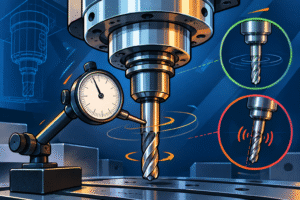
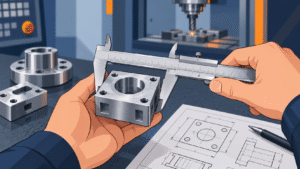
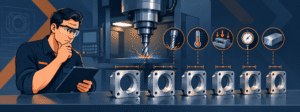
Manufyn’s DFM review prevents machining surprises later.
Designing a part for CNC machining doesn’t start at the machine — it starts at the CAD level. Most failures happen before a tool ever touches material. When geometry can’t be reached, tolerances contradict material behavior, or clamp-surfaces don’t exist, no machine, programmer, or operator can save the part. This is why every successful prototype, pre-production batch, and recurring supply program begins with a dfm checklist — a structured review that prevents manufacturing problems before they become financial problems.
At Manufyn, 70% of preventable machining failures are caught during DFM, not on the shop floor. We evaluate geometry, tool access, tolerance logic, thread placement, and workholding feasibility before programming, so the part is buildable the first time — not the third. This checklist for dfm has been built from real-world machining lessons, production scaling projects, and global RFQs that needed redesign before approval.
If you want to avoid redesign loops, failed prototypes, emergency tolerance changes, and scrap, this is the starting line.

Why a DFM Checklist Matters Before CNC Machining
A DFM review isn’t optional — it’s a risk filter. It prevents spending on tooling, programming time, and machining cycles for a part that was never buildable. A dfm checklist saves money not by refusing designs, but by fixing them before they cost you.
What DFM Protects You From
- Redesign loops that delay launch
- Wrong material → wrong tolerance → wrong results
- Toolpaths that cannot physically reach internal features
- Threads tearing out because edges were too thin
- Cosmetic faces accidentally clamped and damaged
- Scrap that comes from avoidable setup mistakes
Where 90% of Failure Actually Starts
- CAD made without tool access reality
- Thin walls chosen for aesthetics, not strength
- Tolerances copied from production instead of prototyping
- No dedicated clamp-safe surface
- Blind features with no cutter exit path
This is why a dfm checklist is the first step before manufacturing — not an afterthought once machining fails.
Want to avoid redesigns before they cost you?
Upload your CAD — Manufyn will flag issues before machining.
Step 1 – Validate Geometry for Machinability
Toolpaths don’t care how good a CAD model looks — they care whether the cutter can enter, clear, and exit without collision, vibration, or re-clamping errors. Geometry validation is the first checkpoint in any checklist for dfm because errors here cascade into every other stage.
Geometry Validation Checklist
- Internal radii sized to match end mill diameter (no sharp inside corners)
- No “dead-end” pockets with chip evacuation issues
- Avoid deep cavities that exceed 4× tool diameter
- If undercuts exist → label if 4-axis/5-axis or redesign needed
- Faces that need finishing are reachable without full re-fixture
- Add fillets where cutter engagement is unavoidable
Red Flags That Force Redesign
Zero-radius corners → require EDM, not CNC
Overly deep slots → deflection + chatter risk
Features blocked by geometry → unmachinable
Internal geometry with no fixture support
Threads placed where tools cannot approach straight
If even one of these fails, the part hasn’t passed the dfm checklist and machining should not start.
Step 2 – Choose Material With DFM, Not Assumptions
Material is not an aesthetic decision — it’s a manufacturability decision. The wrong material can deform under clamp pressure, expand under heat, chatter during finishing, or fail tolerance requirements. This is why material selection is a dedicated line item in a proper dfm checklist.
Material Selection Rules for CNC DFM
| Requirement | Best Material Choice | Why |
|---|---|---|
| Lightweight & strong | Aluminum 6061 / 7075 | Predictable tool behavior + stable tolerance |
| Cosmetic + fitment | ABS / Acrylic / PC | Assembly-friendly, can be post-finished |
| Wear or moving parts | Delrin (POM) / Nylon | Low friction, dimensional recovery |
| Medical / Pharma / Marine | SS 304 / 316L | Corrosion resistance + compliance |
| Heat resistance & load | Titanium | High strength-to-weight + rigidity |
DFM Questions to Confirm Before Machining
- Will the material hold the tolerances being called out?
- Will coolant & heat movement affect dimension?
- Does fixturing need soft jaws or vacuum to avoid marks?
- Will inserts or threads tear out if directly cut?
If the answer is unclear, machining should not start.
Material suitability determines tolerance reality — and must be passed in the dfm checklist before RFQ
Not sure if your material matches your tolerance or geometry?
Manufyn reviews CAD + intended material and tells you what will fail before it costs money.
Many buyers switch to Manufyn after other suppliers reject parts. In 8/10 cases, the problem was not machining — it was missing DFM alignment. We fix that before a tool ever spins.
Step 3 – Tolerance Planning (Prototype vs Production Reality)
Tolerances are not a wishlist — they are a cost, risk, and capability statement. Designers often call production-grade tolerances on prototype parts, and that’s where budgets spiral. A checklist for dfm ensures tolerances match the stage, not the ideal outcome.
Tolerance Layering Framework
| Stage | Tolerance Range | Use Case |
|---|---|---|
| Prototype | ±0.05 – ±0.10mm | Fit & function validation |
| Pre-Production | ±0.02 – ±0.05mm | Feature reliability before scale |
| Production Supply | ±0.01 – ±0.03mm | Tooling-backed repeatability |
DFM Tolerance Rules
- Only tighten tolerance on functional faces
- Cosmetic faces do not need precision costing
- Datum strategy must match how the part will be held
- If tolerance fights material behavior → redesign before machining
- Over-defining a drawing = overpaying for machining
Tolerance validation is where the dfm checklist protects the project from unnecessary cost and failed QA.
30–50% of machining cost reductions come from DFM tolerance correction alone. Manufyn recalibrates before quoting — not after rejection.
Step 4 – Feature Feasibility (Threads, Holes, Undercuts & Tool Access)
Features that look perfect in CAD can be impossible in machining. This section of the dfm checklist ensures threads, holes, and edge-case features actually align with cutting tools, drill lengths, and machine axis capability.
Feature Feasibility Rules
- Holes: Diameter must match real drill/end mill availability (avoid non-standard sizes)
- Threads: Maintain edge distance to prevent breakout; consider inserts for plastics
- Undercuts: Confirm if 4-axis, 5-axis, or form tool is needed — not all can run in 3-axis
- Pockets: Avoid >4× tool diameter depth unless intentional and stable
- Corners: Zero-radius internal corners require EDM or redesign with fillets
Critical Spacing Guidelines
| Feature Type | Minimum Recommended Clearance |
|---|---|
| Hole to Edge | 1× diameter distance |
| Thread to Edge | 1.5× diameter distance |
| Undercut Relief | Tool diameter + clearance |
| Wall Behind Threads | ≥ 2mm (material dependent) |
If these fail, machining becomes unstable, threads tear out, or cycle time spikes for no reason.
Feature feasibility is a mandatory checkpoint in a dfm checklist because cutter geometry and tool access aren’t negotiable.
We don’t wait for failure to prove a problem — we prevent the failure before the spindle starts.
Threads, holes, or undercuts you’re unsure about?
Manufyn engineers will confirm if they’re machinable — or suggest the fix before CAM time is wasted.
Step 5 – Workholding & Clamp Zone DFM
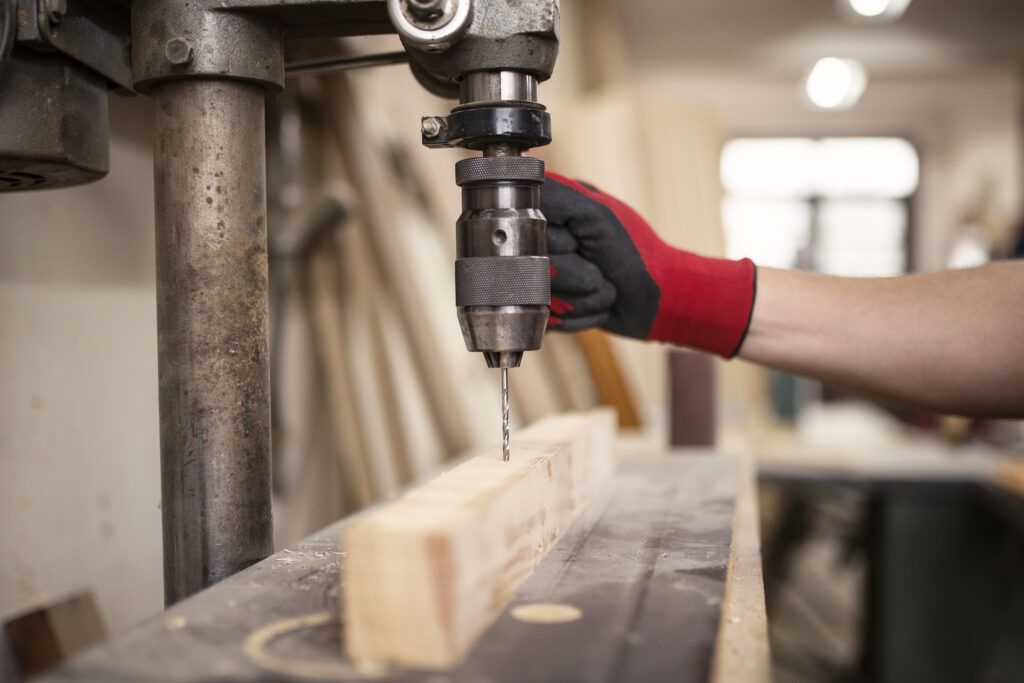
Even perfectly modeled parts fail if they can’t be held. This is the most common invisible problem in CNC projects — no clamp-safe zone. If the part cannot be fixed securely against tool pressure, machining becomes guesswork.
Clamp & Workholding Checklist
- Has at least one flat, non-cosmetic clamping surface been assigned?
- Does clamp direction support tool pressure, not oppose it?
- Are cosmetic faces protected from direct jaw/vice contact?
- Is there room for soft jaws, pads, or vacuum if needed?
- Can the part rotate or flip without losing datum location?
If You Can’t Hold It, You Can’t Machine It
- Thin edges = deformation
- Odd geometry = unstable clamping
- Tall walls = flex + vibration
- Cosmetic surfaces = clamp marks
- No support zones = scrap
This is why clamp-zone planning is non-negotiable during DFM.
A checklist for dfm must review clamp direction, datum security, and fixture clearance before machining is approved.
The most expensive machining error is discovering there was nowhere to hold the part — after production has begun. Manufyn prevents that.
Step 6 – Surface Finish, Assembly Fit & Post-Process DFM
DFM doesn’t end when machining stops — it ends when the part fits, finishes correctly, and passes assembly without “bench fixes.” A design that looks good in CAD but fails in assembly isn’t a prototype — it’s an expensive reminder to plan better.
Finish & Post-Process DFM Rules
- Are surfaces that need finishing reachable without re-fixturing?
- Is there tolerance room for bead blasting, brushing, or anodizing buildup?
- Do optical plastics (PC/PMMA) need polishing surfaces pre-defined?Are
- masked surfaces identified to prevent finish contamination?
- Are fastener interface points protected from coating thickness?
Assembly Fit DFM Questions
- Do mating datums align under clamp pressure or distort?
- Have press-fits allowed for heat/freeze insertion tolerance?
- Are bolt patterns aligned to a machinable datum, not just a pretty one?
- Are countersinks/counterbores standardized for your fasteners?
If assembly requires force, filing, or “try again” alignment — DFM was skipped.
Post-processing and assembly alignment are part of the dfm checklist because machining success is meaningless if the part fails during assembly.
Most suppliers catch finish issues after machining. Manufyn flags them before quoting, which prevents rejected batches and rework cost.
CNC Design For Manufacturing DFM Checklist
Use this before sending a part for quotation, machining, or production transfer.
Geometry
- Internal corners radiused, no impossible sharp pockets
- Tool access confirmed for every critical feature
- No blind areas that trap cutters or chips
Material
- Material stable for tolerance requirements
- Insert vs thread chosen based on load & edge distance
- Heat behavior + coolant sensitivity reviewed
Tolerances
- Critical faces only (tight tolerance)
- Cosmetic surfaces relaxed to save cost
- Datum strategy matches fixture direction
Features
- Threads away from thin edges
- Hole diameters = standard tool sizes
- Undercuts assigned to the correct axis (3/4/5)
Workholding
- Clamp-safe surface identified
- Clamp direction aligns with tool pressure
- No cosmetic surfaces used for clamping
Finish & Assembly
- Finish thickness accounted for
- Countersinks/bores defined for screws
- Mating parts verified with actual datums
A design that passes these 20 points is DFM-ready. A design that fails even 3–5 should not go to machining.
If this 20-point dfm checklist is complete, the part is ready for pricing, programming, and machining — without redesign loops.
If your design passes this checklist, it’s ready for quoting.
Upload your CAD → Manufyn validates → DFM report → Production path.
Common DFM Mistakes to Avoid
Even experienced engineers run into these issues before machining. These mistakes don’t just increase cost — they guarantee redesign loops, lost time, and rejected parts. This is where a dfm checklist saves both money and reputation.
Mistakes That Break CNC Projects
- CAD built for appearance, not tool access
- Threads placed in weak edges or unsupported walls
- Zero-radius internal corners (not machinable)
- Deep cavities with no chip evacuation strategy
- Tolerances copied from production without justification
- No datum alignment for fixturing direction
- Post-processing not accounted for in dimension stack
- Surfaces designed with no clamping zone
These are the exact problems Manufyn flags before quoting so you don’t pay for failure.
All of these errors are preventable when a proper dfm checklist is followed before machining begins.
Upload Your CAD for Manufyn’s Full DFM Review
Geometry ✔ | Tolerances ✔ | Threads ✔ | Workholding ✔ | Assembly ✔